
Smart TV. Buffering brain. Let’s troubleshoot.
Before replacing a buffering television, separate Wi-Fi coverage, device behavior and the internet connection.
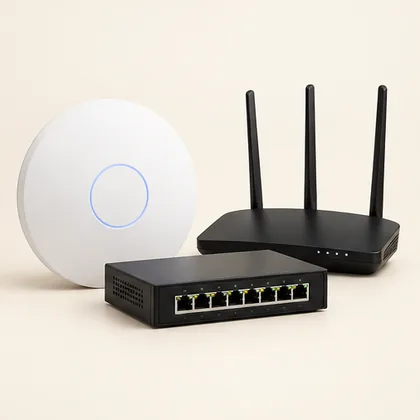 Setup concept. Not a photograph of a specific Mounters installation.
Start with the pattern
Does buffering affect one app, one device or the whole household? Try familiar content at another time and note whether other devices struggle. That pattern is more useful than assuming the TV is broken. A phone speed test next to the router does not establish connection quality at the television across the house.
The room changes the connection
Router placement, intervening materials and competing activity can affect wireless performance. A TV behind equipment may experience different conditions from a phone in the open. Review model-specific troubleshooting guidance. A mesh kit or extender is not a guaranteed fix without checking the actual site and existing network. Avoid buying another box before identifying where the problem happens.
Wired is an option, not a guarantee
Ethernet can remove one wireless link, but it cannot repair an app issue, overloaded internet service or every device limitation. Check port capabilities and a practical cable route. Agree any wall work and permissions first. Never include Wi-Fi passwords or router logins in public project photos. Agree how authorized access is handled during setup and record changes. Finish by streaming on the TV using the actual services you watch.
The useful takeaway: Diagnose the affected device and app before shopping.
Bring this to your project conversation
Diagnose the affected device and app before shopping.
List network equipment models.
Keep account details out of photos.
Test the final connection on the TV itself.
Check the details before you commit
This is a planning guide, not an installation specification. Product capabilities and room conditions vary. Use the current manual for your exact model and ask the appropriate qualified professional to assess structural, electrical or unusual site conditions. A photo can start a conversation; it cannot verify what is inside a wall.
Netflix connection troubleshooting
The phone is fast, but one streaming app buffers on the TV. What should I record?
Note the app, approximate time, affected device and whether another service behaves the same way. Try the same app on another device where practical. This separates an app/device problem from a wider connection issue. Do not post screenshots containing account credentials. Bring the pattern to the technician before replacing the router or TV.
Before agreeing to the work
- Compare one app with another on the same TV.
- Compare affected and unaffected devices.
- Test during the hours the problem actually occurs.
A question your room would ask.
Keep it about the topic. For a price or appointment, request a project quote.
Ask a question +
Keep planning.
 Setup guide
 Less cable chaos. More game time.
Plan a gaming TV setup around console capabilities, airflow and everyday access—not just a clean photograph.
2 min read · Read guide → Setup guide
 TV cable concealment: surface covers, in-wall options and what to check
A clean cable finish starts with knowing which cables need a route and what the wall can accommodate.
2 min read · Read guide → Sound & cinema
 Big TV or projector? Start with the lights on.
Compare room brightness, screen placement and everyday use before choosing a television or projection system.
2 min read · Read guide →