
Less cable chaos. More game time.
Plan a gaming TV setup around console capabilities, airflow and everyday access—not just a clean photograph.
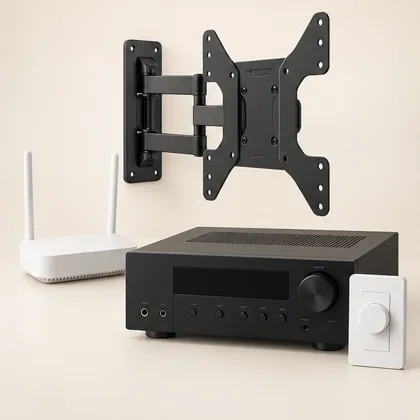 Setup concept. Not a photograph of a specific Mounters installation.
Map the whole signal path
List the TV, consoles, soundbar or receiver and any switch in between. A feature supported by one device is not necessarily supported by every input or component. Check exact specifications for resolution, refresh rate, HDR and variable refresh rate where relevant. Decide which devices need a direct TV connection before hiding anything.
Give the console breathing room
Use the manufacturer’s placement and ventilation guidance, including permitted orientation. Keep access for discs, ports and servicing. A console mount must be compatible and must not obstruct ventilation or controls. Do not assume an adhesive accessory is suitable for every surface or that an attractive cabinet has enough space for the equipment to operate properly.
Test the boring things too
Label both ends of cables, plan sufficient length and check documented signal requirements rather than buying by appearance. Test the connected system before permanent finish work. Then check input switching, sound and everyday controls after turning everything off and on again. Try the features you expect to use, not just the home screen. A handover note with input names and changed settings helps the next person use the room without troubleshooting.
The useful takeaway: Plan airflow and access as carefully as the picture.
Bring this to your project conversation
Plan airflow and access as carefully as the picture.
List console, TV and audio models.
Identify the gaming features that matter.
Test source switching and household controls.
Check the details before you commit
This is a planning guide, not an installation specification. Product capabilities and room conditions vary. Use the current manual for your exact model and ask the appropriate qualified professional to assess structural, electrical or unusual site conditions. A photo can start a conversation; it cannot verify what is inside a wall.
PlayStation console support and care
My console supports a feature, but it disappears through the soundbar. Why?
The full signal path must support the feature: source, selected input, cable, intermediate equipment and TV settings. Review each exact model and port. A direct TV connection may be worth assessing, but first check how audio will return to the sound system. Avoid buying another cable until you identify the missing capability.
Before agreeing to the work
- Write down the full connection path.
- Test the intended input and actual content.
- Preserve console ventilation and service access.
A question your room would ask.
Keep it about the topic. For a price or appointment, request a project quote.
Ask a question +
Keep planning.
 Setup guide
 TV cable concealment: surface covers, in-wall options and what to check
A clean cable finish starts with knowing which cables need a route and what the wall can accommodate.
2 min read · Read guide → Connected living
 Smart TV. Buffering brain. Let’s troubleshoot.
Before replacing a buffering television, separate Wi-Fi coverage, device behavior and the internet connection.
2 min read · Read guide → Sound & cinema
 Great sound shouldn’t hide behind furniture.
A soundbar placement guide for dialogue, clearance and a setup everyone in the room can use.
2 min read · Read guide →